
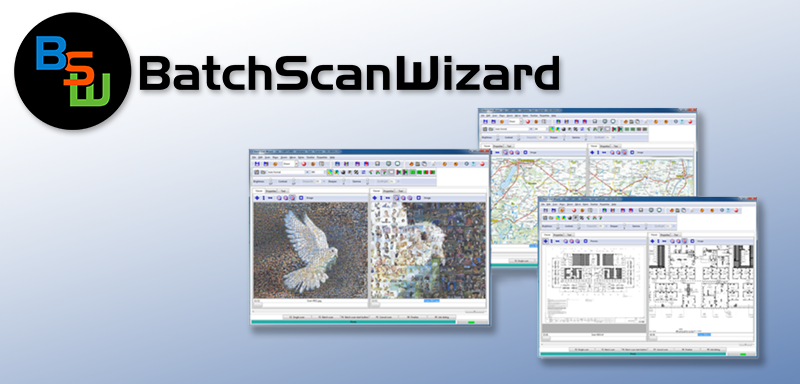
Batch Scan Wizard - Software simplifies high volume scanning
Batch Scan Wizard is a fast and easy to use software solution from Image Access for professional management of large scanning volumes and jobs. The software increases data throughput and reduces operational tasks substantially. Batch Scan Wizard is ideal for processing large volume scanning jobs but is just as useful for smaller volumes in which more advanced operations like page splitting or extracting specific areas on a document is required.
The operator creates a job and configures a template for the job. Then, all images scanned are collected in the job until the job is closed by the operator. In addition to the standard scan parameters like brightness, contrast, color mode or file format; Batch Scan Wizard lets operators predefine specific areas of a document to extract, scan and save as separate images. Nothing is lost, because you can reopen a stored scan job and change it with the features cut, delete, insert and replace for any selected image in the job. You can also change the filename or directory location of the job.
Batch Scan Wizard supports all Scan2Net® scanners and their functions. Using Batch Scan Wizard´s rescan function, a previously scanned image is held in memory. Color mode, file format, rotation, mirror and camera settings can be modified without having to rescan. The new settings will affect the image immediately, without having to physically rescan the document. When you have optimized your scan parameters, you can save the new images or replace an image in your batch.
The new, freely configurable workflow tracking in Batch Scan Wizard supports you with information about your files in each scanning job. This record includes date and time for each image scanned, the scanning parameters used, the PC used and the location of your images.
Batch Scan wizard scan job indexing will help with the compilation of individual variables and/or combinations of variables for the automatic creation of file and directory names and their directory structures.
Batch Scan Wizard Functions:
- Indexing scan jobs
- Create multipage PDF files
- Create multipage TIFF files
- New keyboard shortcuts, file menu and mouse context menus
- Integrated full-screen display
- New tools and features to configure templates
- Create custom templates for specific scanning parameters, file naming conventions and directory locations.
- Automatic generation of file and directory names and directory structures using individual variables or combinations of variables.
- Freely configurable file, directory, and scan template names (via manual input, barcode or using variables).
- Configurable keyboard shortcuts to optimize processing speed.
- Supports all Scan2Net® functions as well as page splitting, page region extractions, zoom, rotate, invert and mirror.
- Interface allows operators to select a variable number of image windows.
- Individual image scaling horizontally, vertically or adapted to the window size.
- Cut, delete, replace and insert a selected image into a previously generated job.
- Multiprocessor and hyperthreading support.
- Supports all functions in Scan2Net® (Scan2Net® version 5.80 and higher.)
- OCR option.This option is linked to our well-known SCAN2OCR option. The OCR option will work with the BSW, if the SCAN2OCR option key is active on the scanner.
OS independent, runs with 32/64-Bit Windows 7 / 8.x / 10.


